Lepton AI
Founding member · Lepton AI · 2023 – 2025
I was employee number one and a founding member of Lepton AI, and I built the platform end to end.
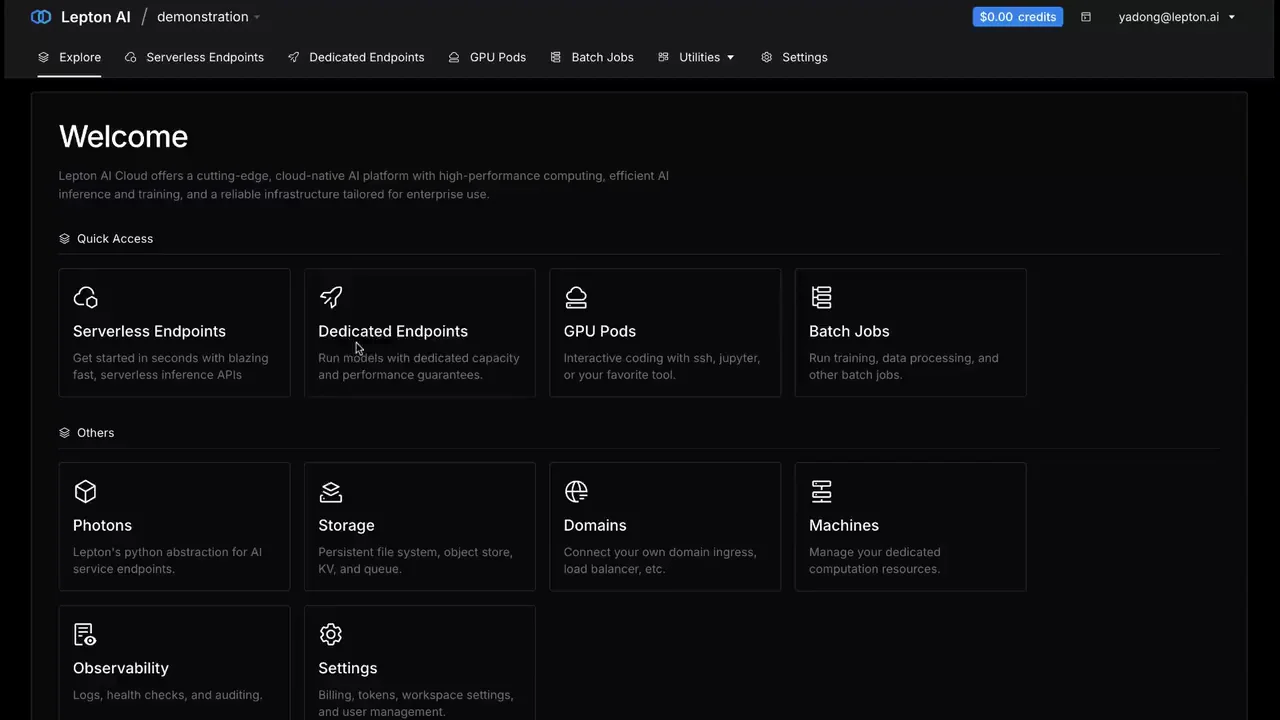
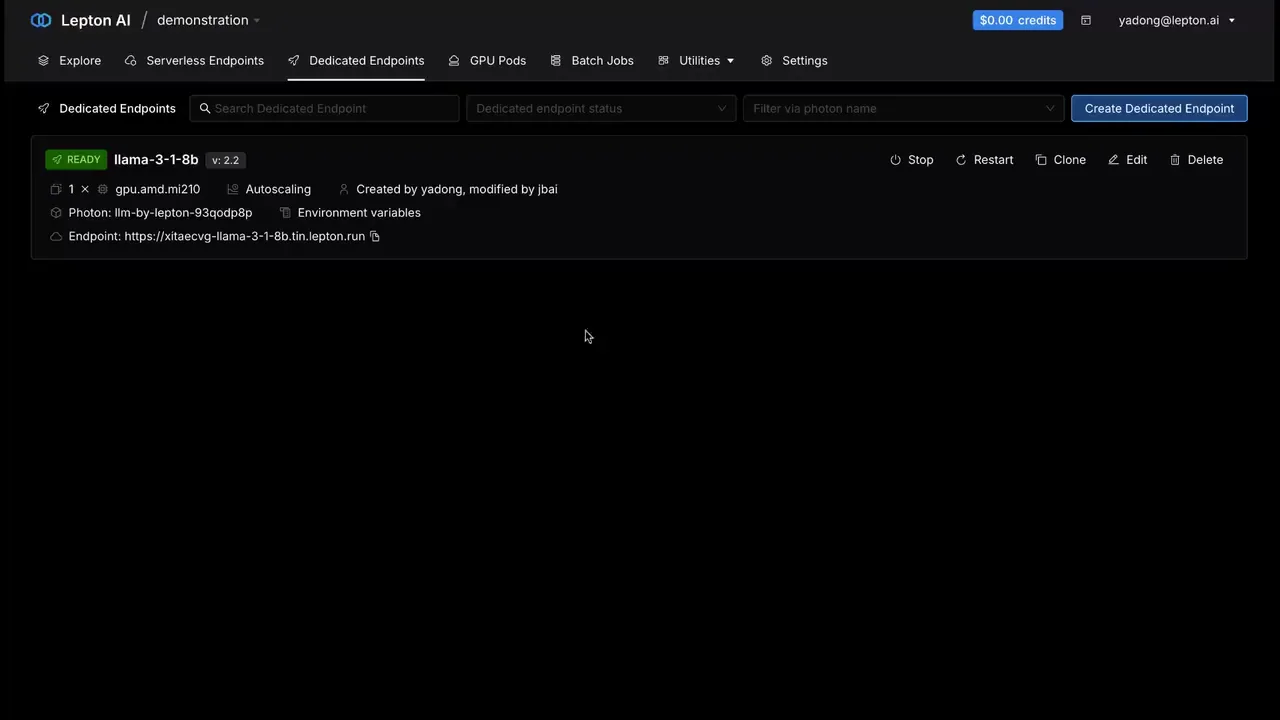
Lepton was an AI cloud rather than a GPU rental shop. Inference deployments came with autoscaling, observability and multi-region availability. GPU Pods gave you a full development environment you could SSH into. Training let a team share a pool of GPUs and queue distributed jobs against it by priority. Underneath all of it sat dedicated compute you could rent from us or bring from your own cloud account.
Standing a model up was meant to be an errand rather than a project. You took one out of the prebuilt catalogue — Llama 3.1 from 8B up to 405B, Mixtral, Gemma, Stable Diffusion — or pointed the same form at your own model or a container image. Name it, add a Hugging Face token if the weights are gated, pick a shape and read its hourly price, create. The form also tells you what happens when nobody is using it: an hour idle, and it scales to zero.
An endpoint you cannot poke at is a leap of faith, so every one of them opened onto a playground before it opened onto an API. You talked to the model in the browser — out loud, if you turned voice mode on — moved temperature and the token limits and watched the answer change, then switched to the API tab and took the same call away as code.
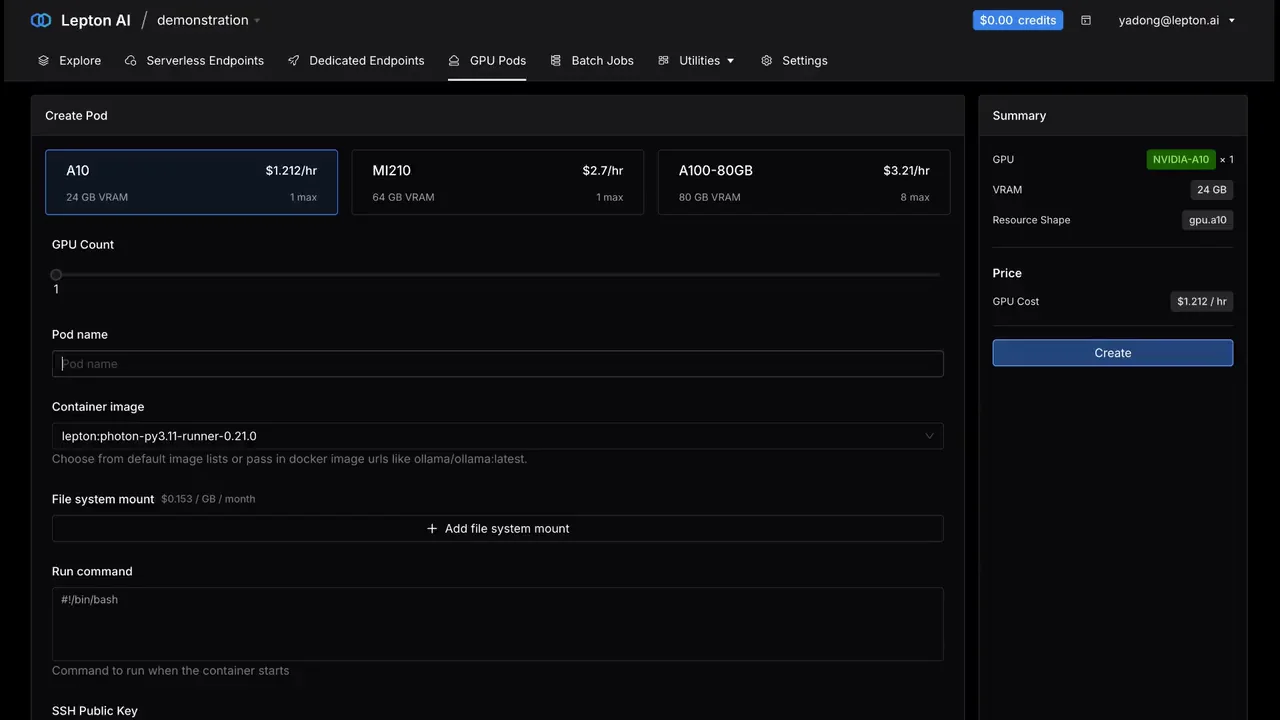
GPU Pods were the other half of the product — compute to work inside, rather than a model to call. You chose a card, each one showing its VRAM and its cost per hour, gave it an image and a run command, and waited. What came back was an SSH command, TCP port forwarding, and a JupyterLab you could open in a browser tab.
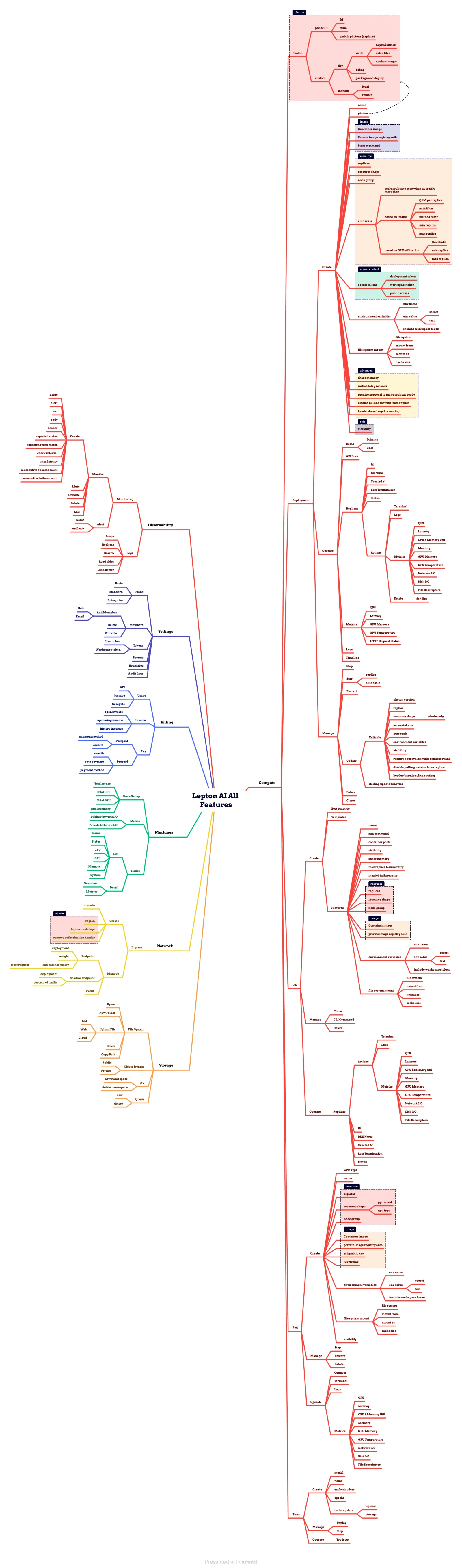
Those three are doors into one corner of it. The map below is the whole surface as I kept it: compute — deployments, jobs, pods and fine-tuning — plus storage, networking, machines, observability, settings and billing, carried down to the individual controls. The ten fields that make a health check. The autoscaling rule that can watch queries per replica or GPU utilisation. The four things a pod needs before it will start. Owning the user experience end to end meant owning all of it, and a product this wide is mostly a problem of keeping it coherent.
In SemiAnalysis's ClusterMAX review of the GPU cloud market, Lepton landed in the Gold tier — one below Platinum — alongside Crusoe, Nebius, Oracle, Azure and Together AI, and it was singled out for running across multi-cloud infrastructure.
NVIDIA acquired Lepton in 2025, and the work continues there — I now lead an engineering team building the user experience of NVIDIA DGX Cloud.
Mind map — every Lepton AI feature · NVIDIA DGX Cloud Lepton · SemiAnalysis — the GPU cloud ClusterMAX rating system